
What you can do in MerneroStudio
Record, fix the pitch, mix and finish a song in one app on Windows or Mac. Where Free and Pro differ, a label says so.
MERNERO AI
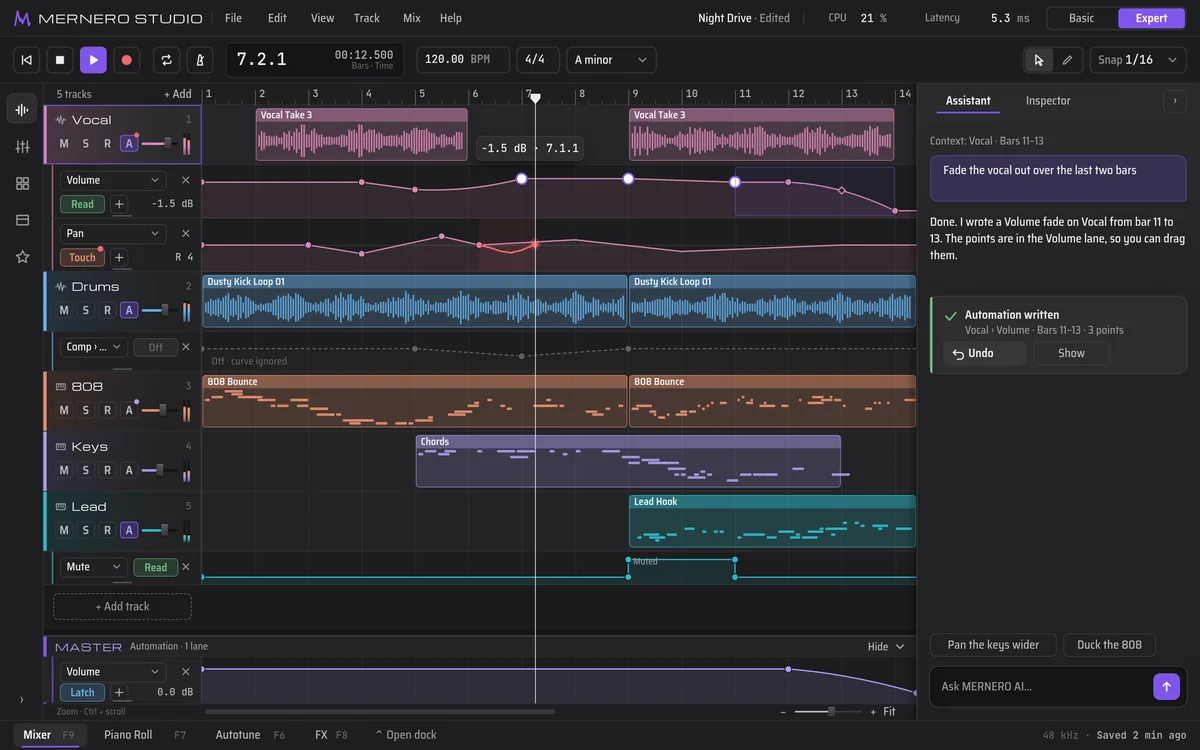
AssistantType what you want in plain words, like “fade the vocal out over the last two bars”. MERNERO AI makes the edit in your project and tells you what it changed.
- Changes land as normal edits: automation points, mixer moves, clips. Drag or delete them like anything you made yourself.
- Each reply lists what changed, with an Undo button and a Show button.
- MERNERO AI runs on your computer. If you prefer a cloud AI provider for the chat, add your own API key (18 and older). The key is kept in your system keychain.
Autotune
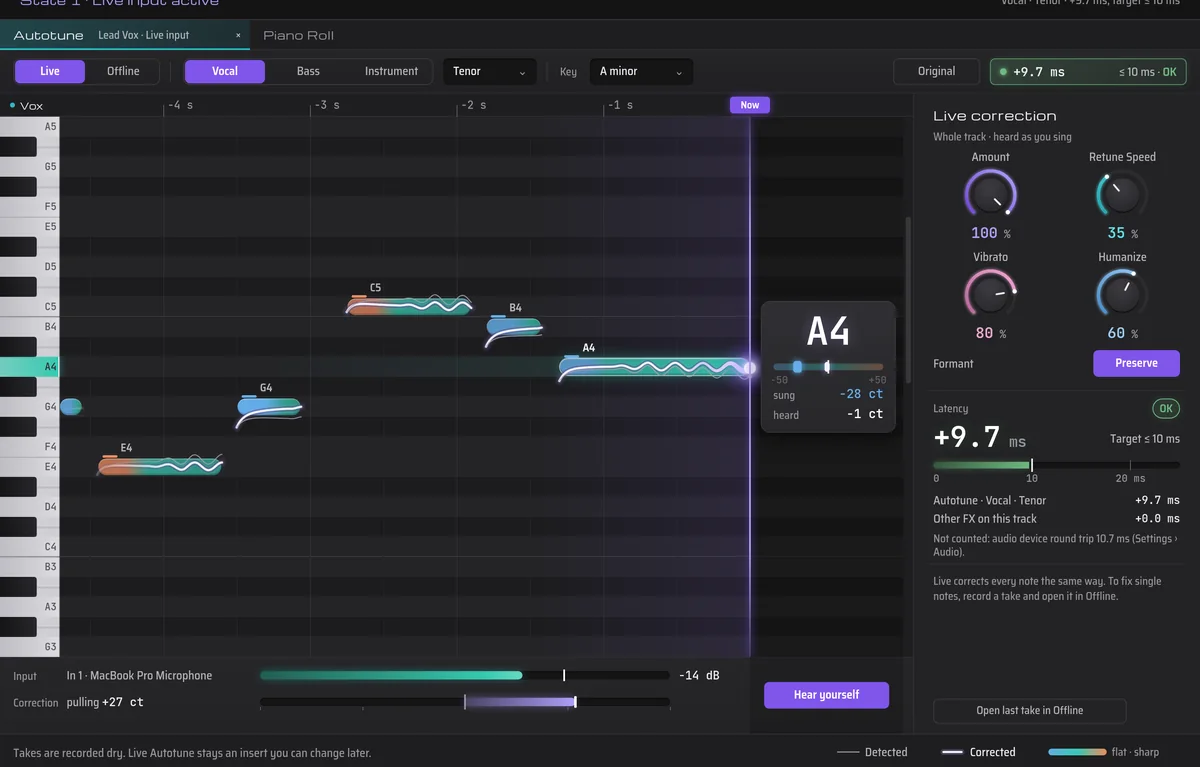
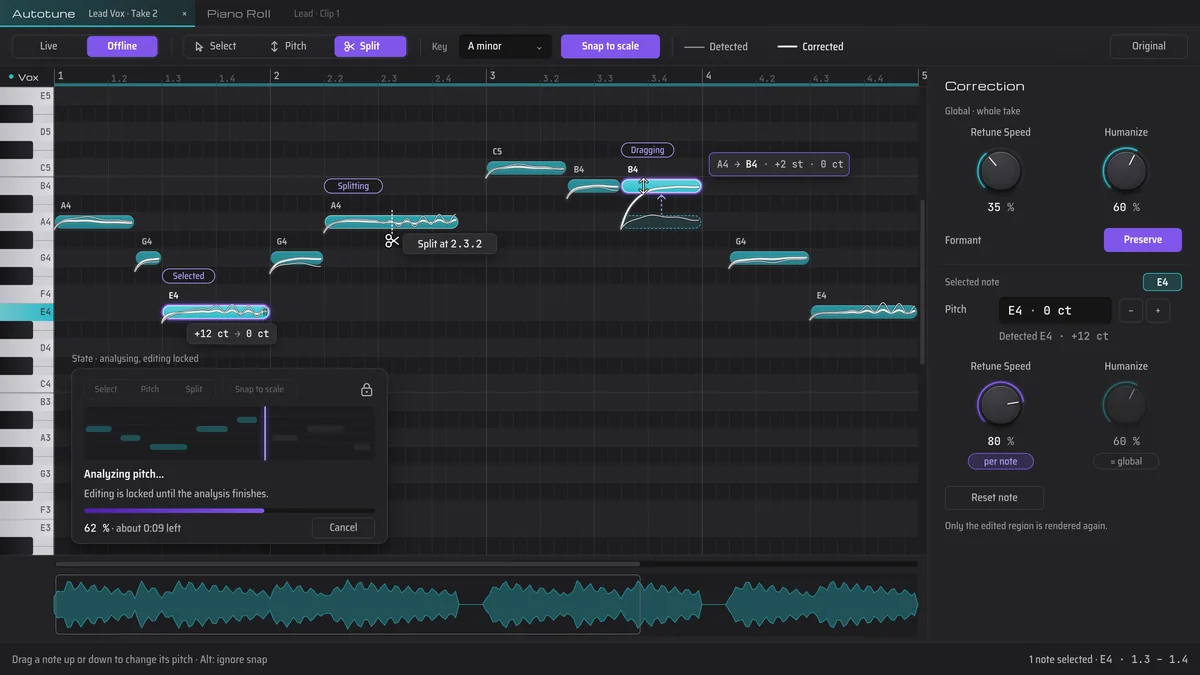
Live and offlineHear the correction while you sing, or open a take afterwards and fix it note by note.
- Live mode corrects as you sing and shows the latency, so you know what you are hearing.
- Offline mode puts every note on a pitch grid. Select, drag, split and snap notes to the key.
- Retune speed, humanize and formant controls for the whole take or a single note.
- Pitch analysis runs on your computer.
Mixer and effects
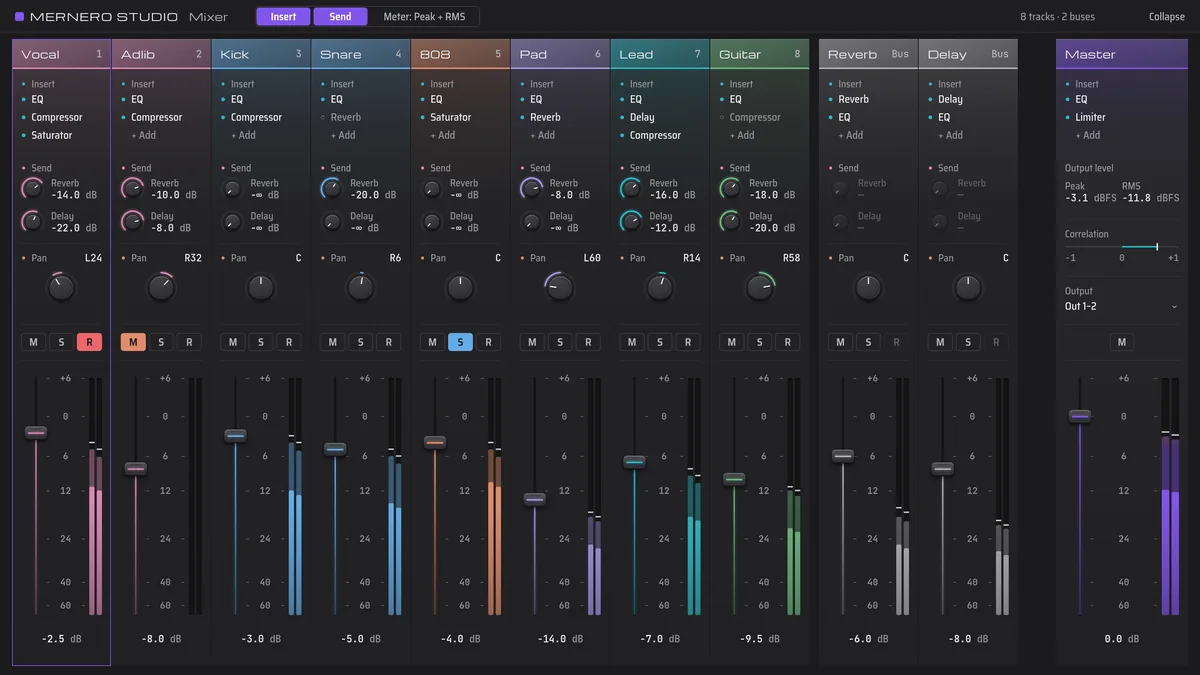
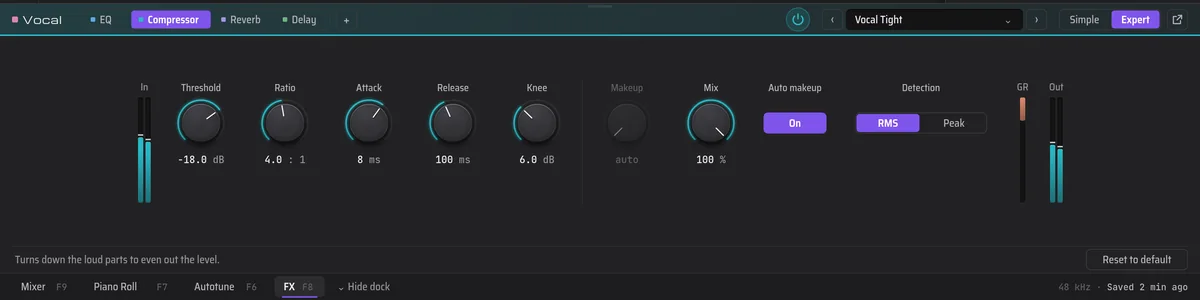
Auto-mixEvery track gets a channel strip with inserts, sends, pan and a fader. Six core effects cover the basics: EQ, compressor, saturator, reverb, delay and limiter.
- Auto-mix sets levels and ducks the beat under your vocal. Each move is a regular mixer change you can see, adjust or undo.
- The FX dock opens an effect right under the timeline. Simple shows the main controls, Expert shows all of them.
- Reverb and delay sit on buses, so several tracks can share them.
Basic and Expert
Two viewsSame project, two levels of detail. Switch whenever you like.
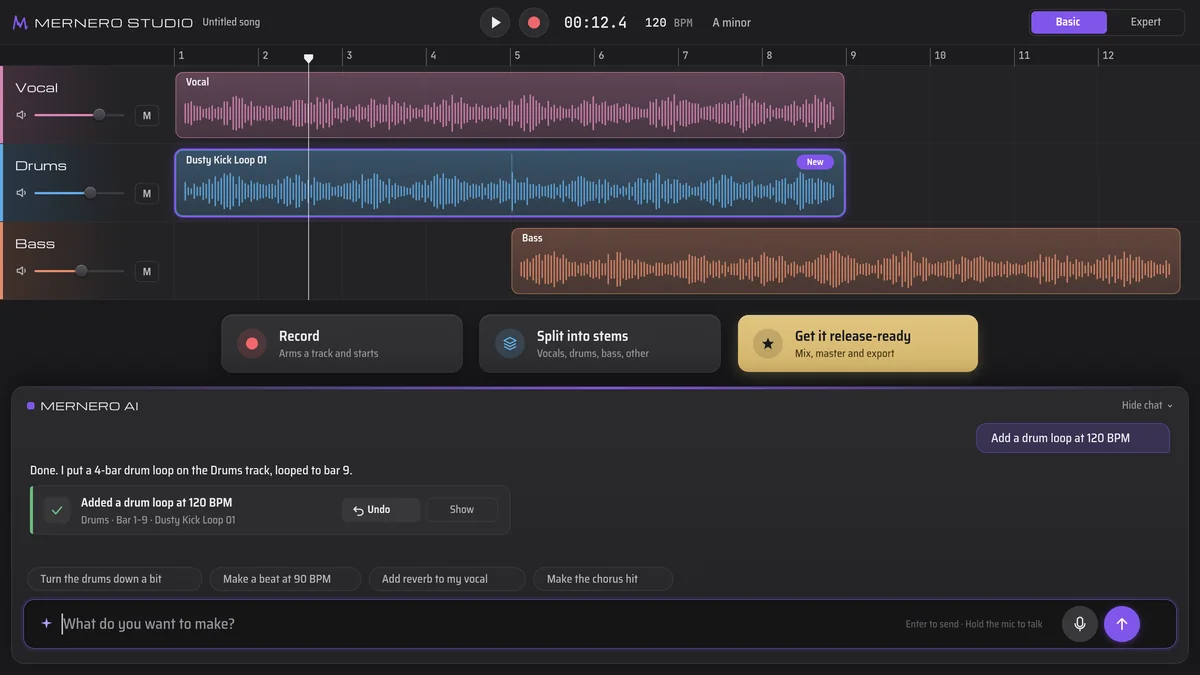
- Basic mode keeps three big buttons on screen: Record, Split into stems and Get it release-ready.
- Get it release-ready mixes, masters and exports the song in one step.
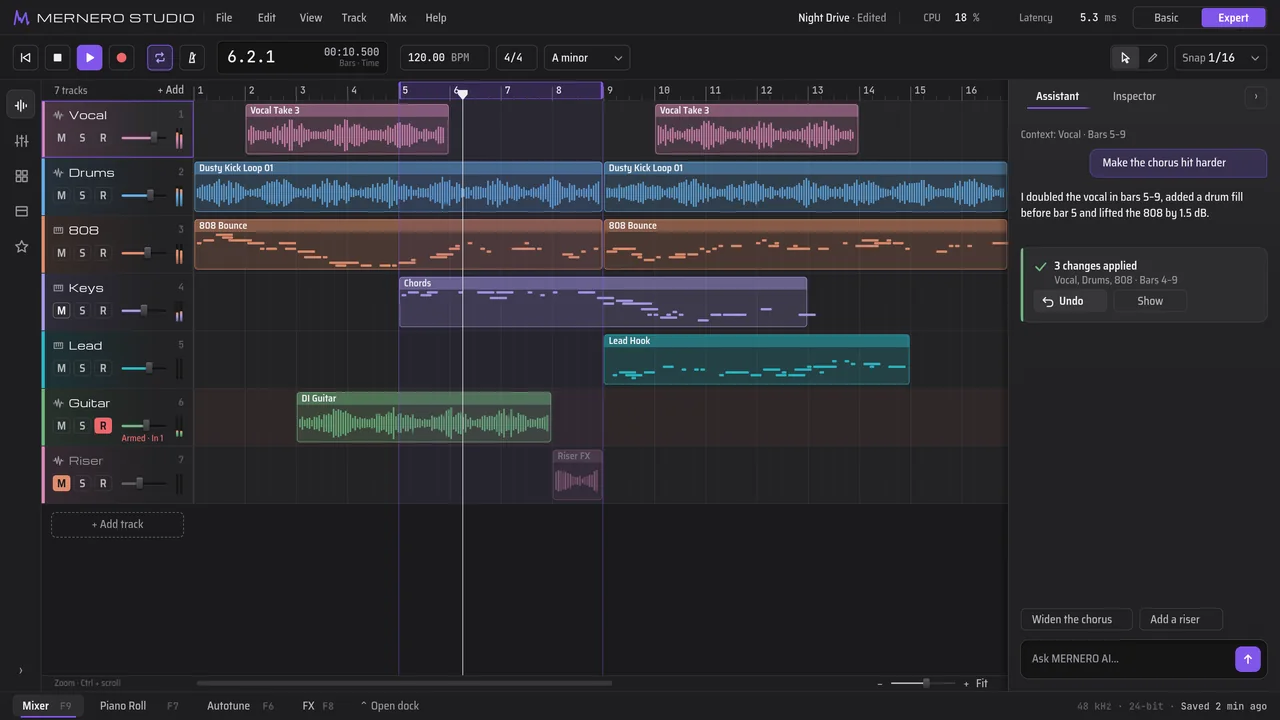
- Expert mode opens the full timeline with the Mixer, Piano Roll, Autotune and FX docks.
- MERNERO AI works in both.
Record, split, export
Tracks and filesThe parts every song needs, from the first take to the file you send out.
- Record from Basic mode with one button: it arms a track and starts.
- Hear yourself while you record, with live Autotune on the input if you want it.
- Split a finished song into stems (vocals, drums, bass, other) on your computer.
- Ask MERNERO AI for a drum loop to start from.
- Export your song as WAV or MP3.
Analysis on your computer
MERNERO AI listens to your audio on your own machine before it suggests or changes anything.
- Stem separationSplit a finished song into separate parts.
- Tempo and key detectionFind the BPM and key of a recording.
- Pitch analysisReads the notes you sing for Autotune.
- Mix analysisChecks levels and balance before auto-mix moves a fader.