
In development
The rest of the studio
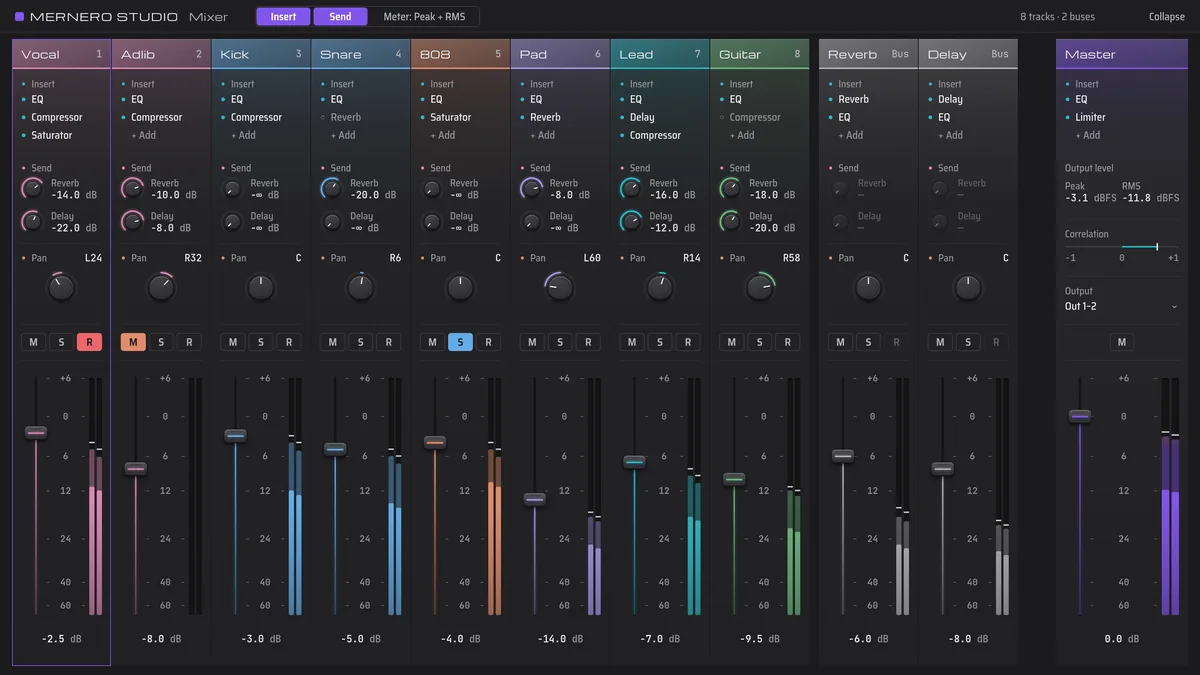
Around the vocal there's a full mixer with effects. You can work in a simple view or a detailed one, and export the finished song yourself.
Mixer and effects
In developmentEvery track gets a channel strip with inserts, sends, pan and a fader.
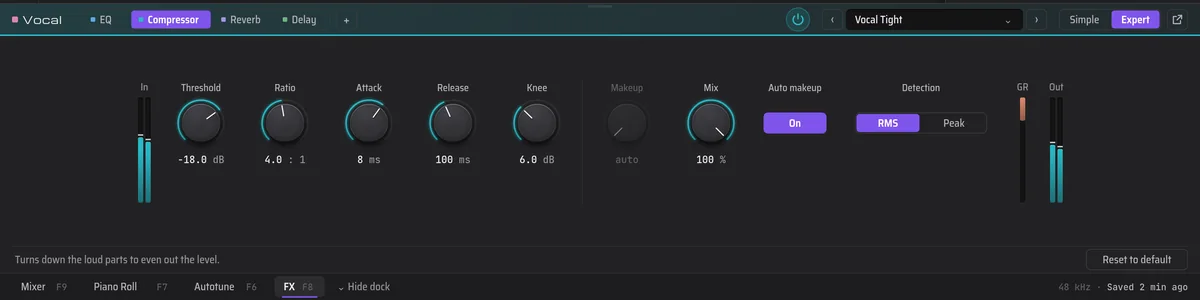
- Six effects cover the basics: EQ, compressor, saturator, reverb, delay and limiter.
- Auto-mix sets levels and ducks the beat under your vocal. Each move is a regular mixer change you can adjust or undo.
- The FX dock opens an effect right under the timeline. Simple shows the main controls and Expert shows all of them.
- Reverb and delay sit on buses, so several tracks can share them.
Basic and Expert
In developmentSame project, two levels of detail. Switch whenever you like.
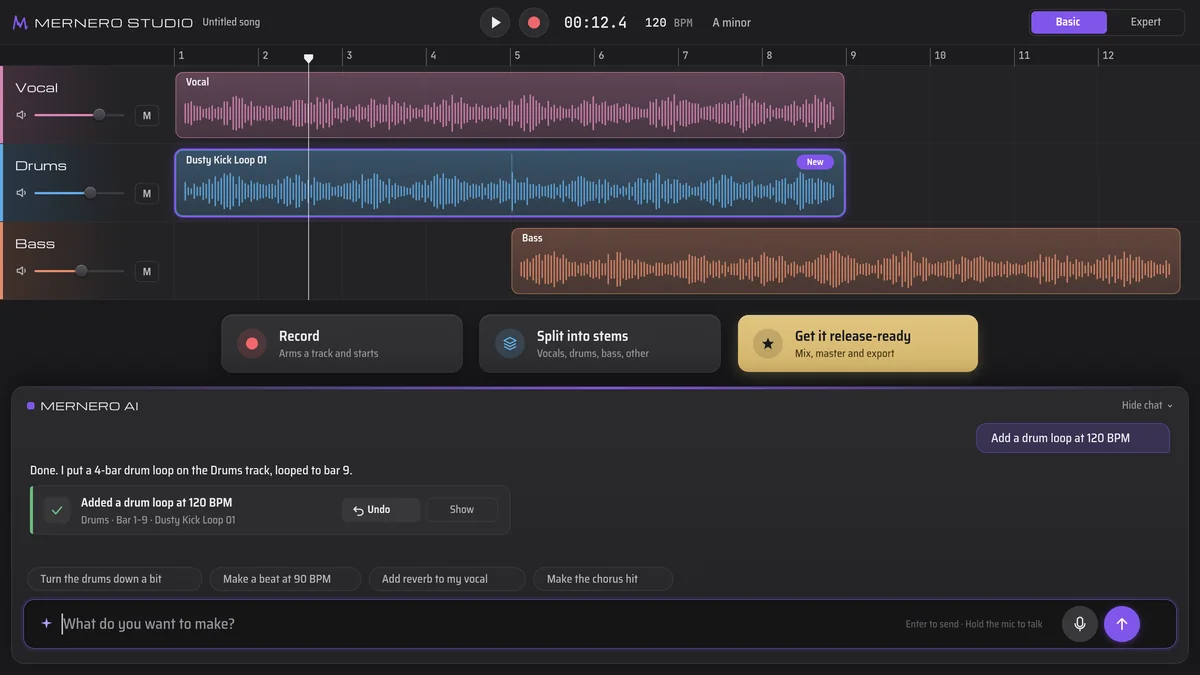
- Basic mode keeps a few big buttons on screen, like Record and Split into stems.
- Get it release-ready takes the song from a rough mix to a finished file in one step.
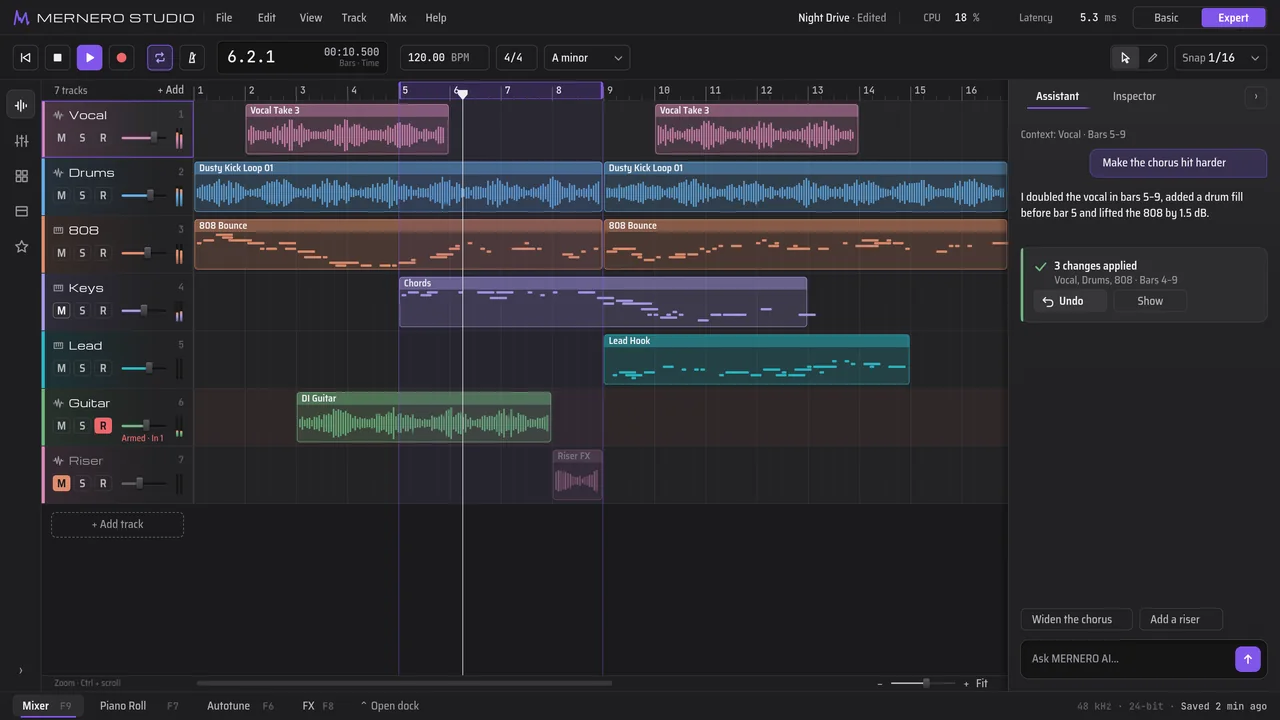
- Expert mode opens the full timeline with docks for the Mixer, Piano Roll, Autotune and FX.
- MERNERO AI works in both.
Record and export
In developmentThe parts every song needs, from the first take to the file you send out.
- Record from Basic mode with one button. It arms a track and starts.
- Hear yourself while you record, with live Autotune on the input if you want it.
- Split a finished song into stems on your computer: vocals, drums, bass and the rest.
- Ask MERNERO AI for a drum loop to start from.
- Export your song as WAV or MP3.
Not out yet
We're still working on MerneroStudio. When it's ready to download, you'll find it right here.
$9.99/mo + tax at launch, free tier included.